
For an overview of all available Project Reports, go to: Overview of All Reports for Projects
Access the Icon Plan Report from the Download options in the Project Plan view, then select the Icon Plan Report Configure option: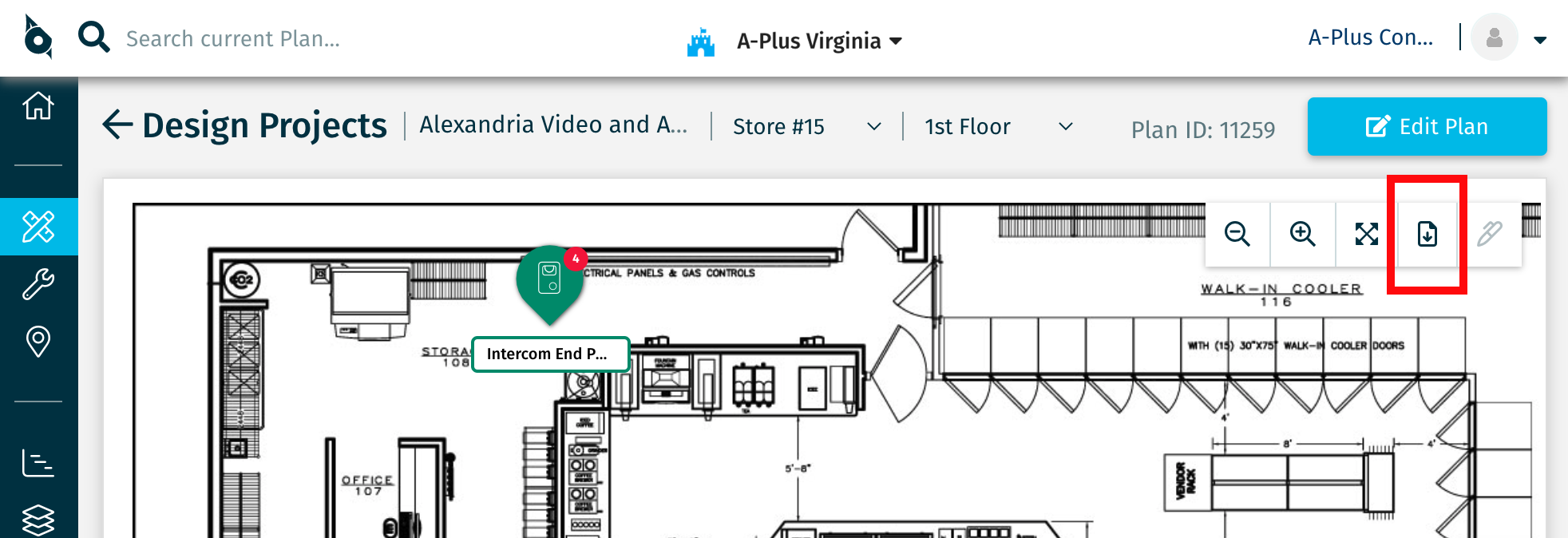
General Configuration options allow you to customize the report based on your needs:
- If your Plan contains Devices that are tightly clustered, select the High-Density Plans option for optimal print quality.
- Pin Size can be adjusted for optimal legibility.
- Pin Color can be set to Device Color, Install Status, or Operational Status, enabling you to use this report for different purposes.
- Limit the report to Devices and Tasks that are assigned to a specific User, to Me, are Unassigned, or are assigned to Anyone.
- Include or exclude Device Names, Abbreviated Names, Part Numbers, and Coverage Areas.
- Include or exclude Archived Devices.
- Include or exclude Live Devices (if you've licensed SiteOwl Live).
- Limit the report to selected System Types, Operational Statuses, and Install Statuses. All are included by default.
Click the image to view a full report sample:
Comments
0 comments
Please sign in to leave a comment.